
Windows
EXE installers and ZIP archives for x64, ARM64 and 32-bit x86.
Windows downloads Oblivion Desktopالعربية
Downloads & practical help
Oblivion Desktop is a free, unofficial Cloudflare WARP client for Windows, macOS and Linux. It brings connection methods and network controls into one desktop app to help you access the internet on restricted networks.
Desktop repository archived · Latest release: v3.11.0 What this means
01 The app
Use Desktop when you want WARP connectivity with controls for how your computer connects. The app offers WARP, Gool, Cfon (Psiphon) and Masque methods, plus None (local proxy), System Proxy and TUN network modes. Availability on your network can vary; no method works everywhere.
Explore the documented features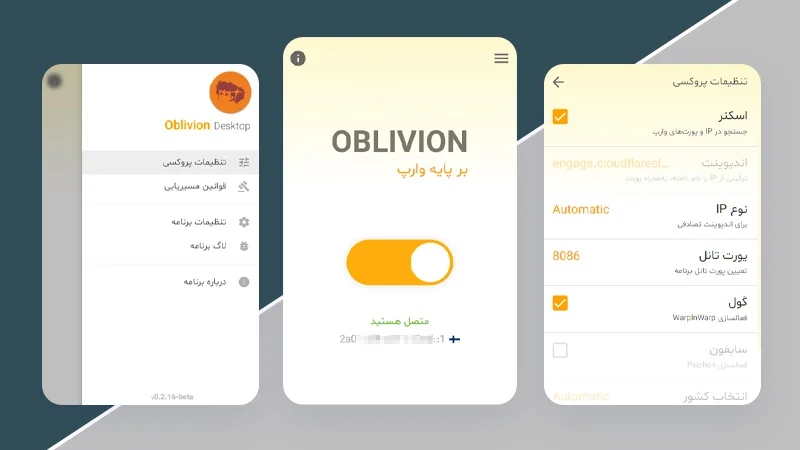
02 Start here
Choose your operating system, then match the package to your processor. Downloads are free and link to the project’s original GitHub release files.
EXE installers and ZIP archives for x64, ARM64 and 32-bit x86.
Windows downloadsDMG and ZIP packages for Apple silicon (ARM64) and Intel (x64).
Mac downloadsDEB, RPM, AppImage and TAR.XZ packages for x64 and ARM64.
Linux downloadsChoose Windows 10+ or macOS 12 Monterey+; Linux packages are also available. The v3.11.0 Mac packages require a newer system than the old release description suggests. See the download page for package requirements. Read the v3.11.0 release notes
03 Find your next step
Find the next check without changing a whole list of settings at once.
Start with installation, permissions and your operating system’s warning.
Help opening the appStart with connection checks and the network mode you are using.
Connection troubleshootingFind the difference between a connection method and a network mode.
Understand the settingsSimilar names do not mean the same app. Choose the project that matches your device and the instructions you intend to follow.
| App | Platforms | What to know |
|---|---|---|
| Oblivion Desktop | Windows, macOS, Linux | The Electron desktop app covered by this hub. Its repository is archived; v3.11.0 is the latest release. Desktop project |
| Oblivion | Android, Windows, Linux | A separate app. Its current documentation describes Flutter and the Aether core. Its features and packages are not Desktop 3.x updates. Separate Oblivion project |
| Cloudflare WARP | Windows, macOS, Linux, Android, iOS | Cloudflare’s own client and documentation. Oblivion Desktop is an unofficial client, not a Cloudflare product. Cloudflare’s downloads |
Yes. You can download the published Desktop packages for free. The source is available on GitHub; check the repository’s licence before reusing it.
Source licenceDesktop packages are for computers, not phones. For Android, see the separate Oblivion project. For iPhone, Cloudflare offers its own WARP app; that is a different product.
Cloudflare’s mobile appsWARP is not an anonymity service or a country selector. Its IP address can still represent your approximate location. Seeing your own country does not by itself prove the connection has failed.
Connection methods and IP locationArabic is listed among Desktop’s interface languages. This hub’s home page, downloads and help are also available in Arabic.
Documented interface languagesRepository: archived
The Desktop repository was archived on 25 October 2026 and is read-only. The latest stable release is v3.11.0, published on 10 November 2025. Existing downloads remain available, but this hub does not promise new Desktop updates or fixes.
We bring download links, product explanations and practical help together here. The app’s source, contributors and release history are recorded in the Desktop repository.